Design Multi-Week Training Programs Tailored to Every Client
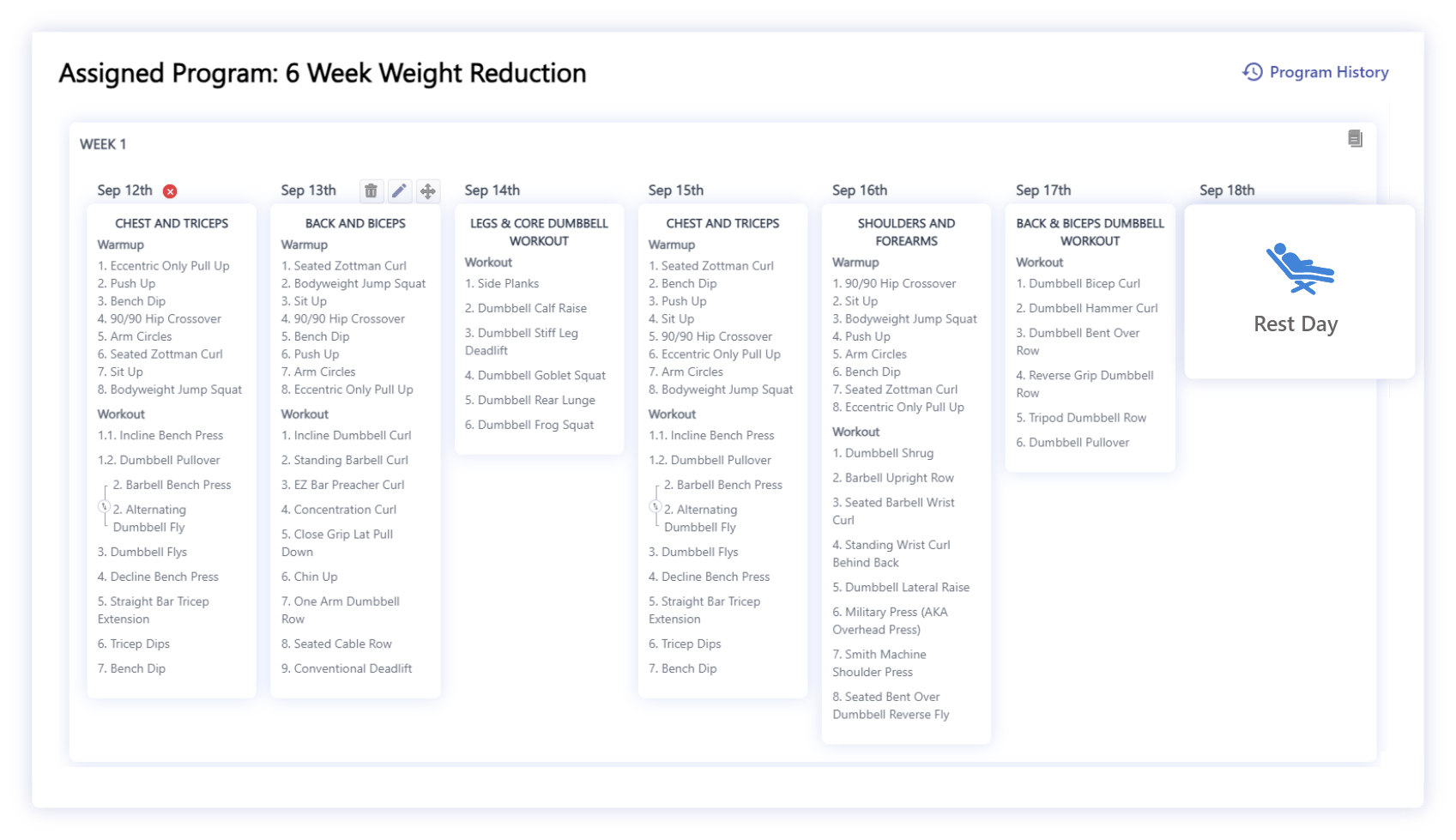
BuddyPT's Program Management is where individual workouts become complete training journeys. After you build workouts in the Workout Builder, use Program Management to create multi-week programs and assign specific workouts to each day of every week — all inside a visual weekly planner.
Every program is fully personalizable to each client's goals, experience level, schedule, and injury history — so you can scale 1:1 coaching quality across your entire roster without rebuilding plans from scratch.
How BuddyPT Program Management Works
A clear four-step workflow that takes you from a single workout to a fully periodized, client-ready program.
1.Build Workouts in the Workout Builder
Start by designing individual workouts in BuddyPT's Workout Builder — pick exercises, set sets, reps, tempo, and rest, and save each session as a reusable block.
2.Create a Multi-Week Program
Open the Program Management view and set the number of weeks. Every program is laid out as a calendar of weeks and days, giving you a clear visual timeline of the entire training block.
3.Assign Workouts to Each Day
Drag saved workouts onto specific days of each week. Add rest days, deload weeks, or repeat patterns using week cloning — building a fully periodized program in minutes.
4.Personalize and Assign to Clients
Assign the program to a single client or a whole group. Tweak sets, reps, or exercises per client without touching the master template. Clients get the plan instantly on their phone.
Why BuddyPT's Program Management is Superior
Most coaching apps stop at single workouts or basic calendars. BuddyPT gives trainers a true periodization engine built for real-world client coaching.
True Multi-Week Periodization
Plan strength blocks, hypertrophy phases, and deloads across weeks — not just single sessions like most fitness apps.
One-Click Week Cloning
Duplicate any week to extend a block or scale a program to more clients without rebuilding day by day.
Client-Specific Customization
Every program can be tailored to individual client goals, injuries, and schedules while keeping your template library untouched.
Instant Mobile Delivery
Programs sync to the client app in real time with workout timers, exercise videos, and in-session logging built in.
Inside Program Management
Every tool a personal trainer needs to design, personalize, and deliver structured training programs.
Diverse Programs
Create Diverse Programs
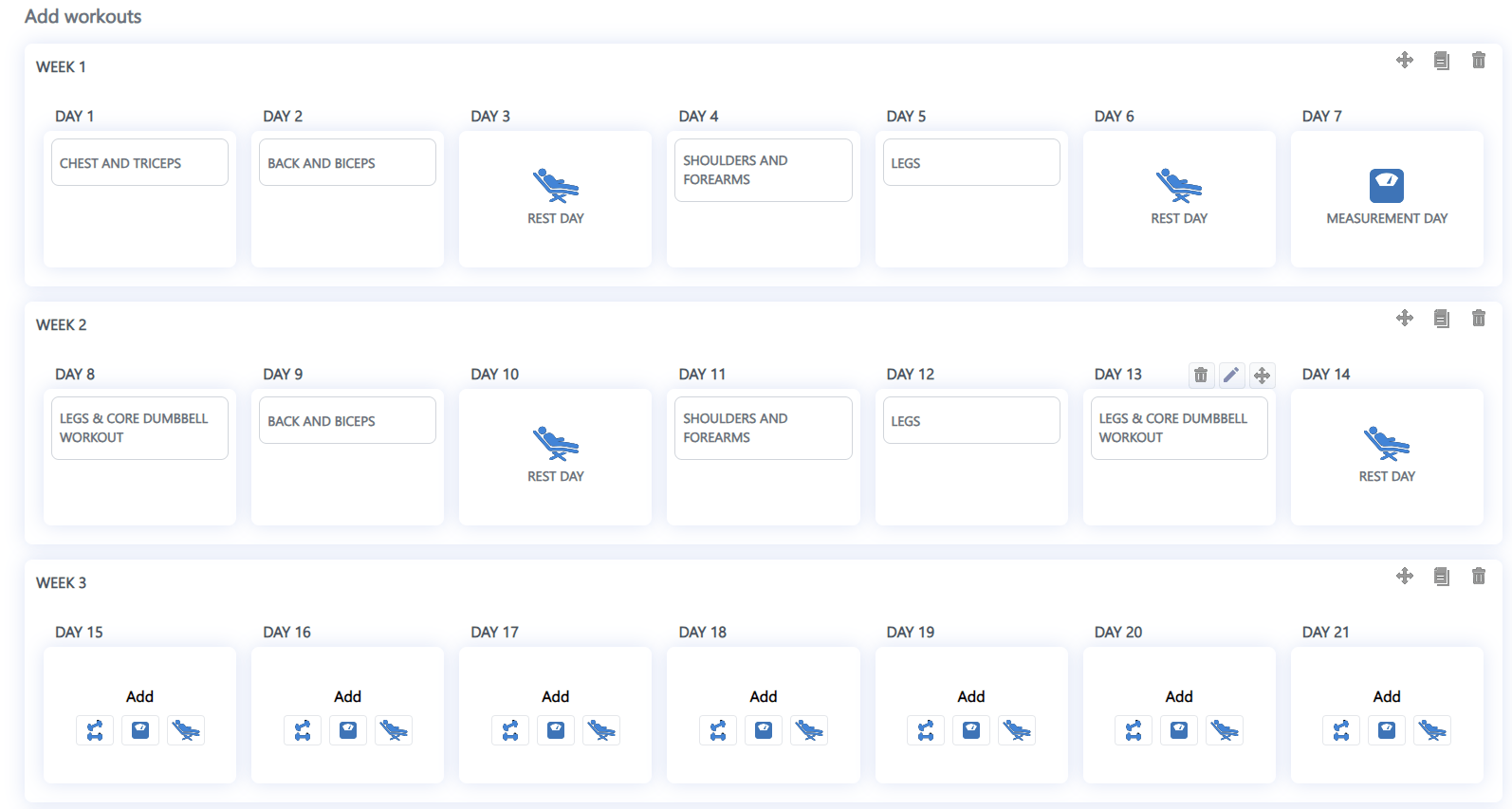
Build a wide variety of fitness programs by adding workouts to each day within a weekly view. Tailor programs to strength, hypertrophy, fat loss, endurance, mobility, or hybrid goals — all inside a single, unified planner.
Drag & Drop
Intuitive Drag & Drop
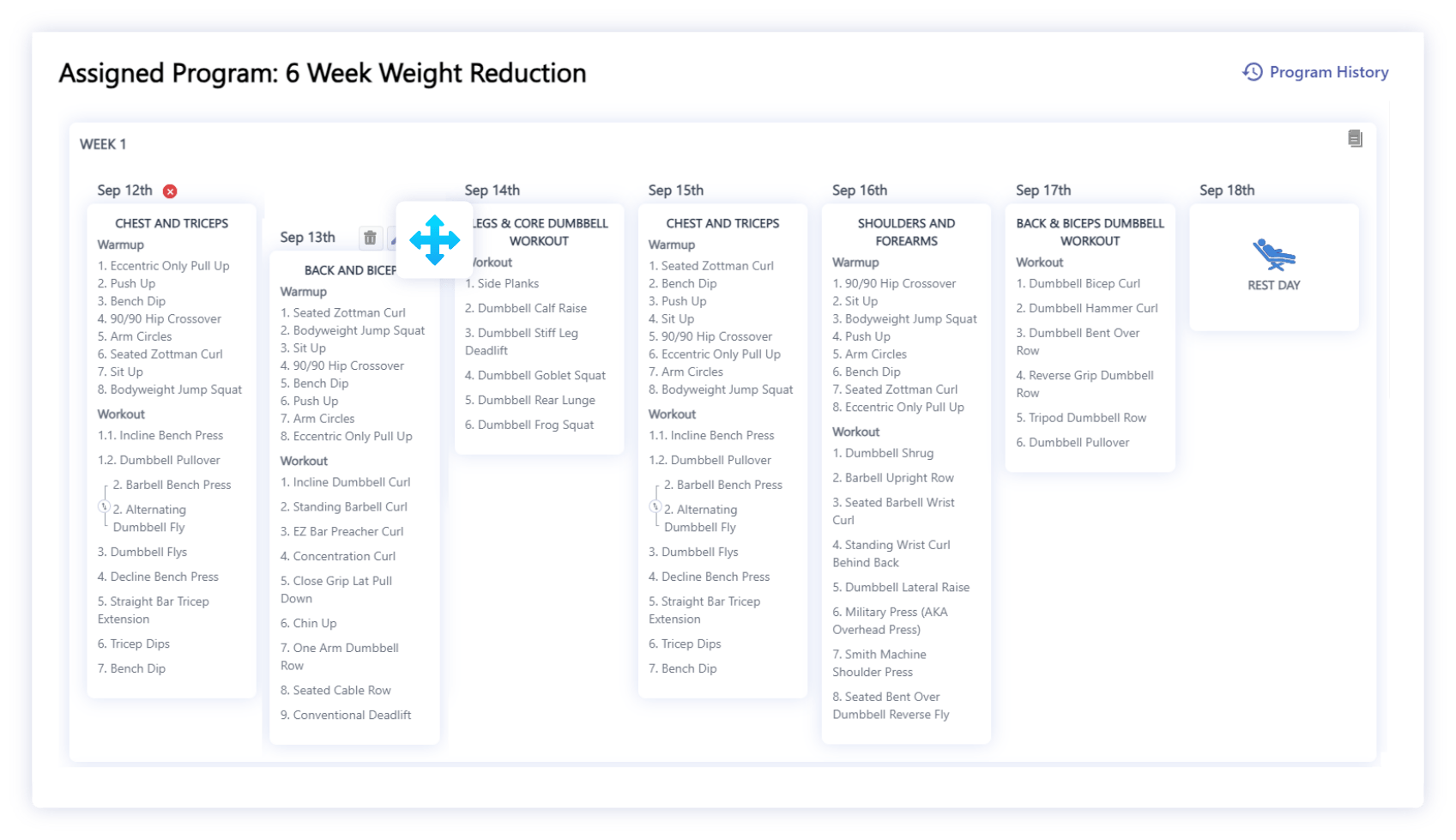
Our intuitive drag-and-drop interface lets you organize workouts at both the day and week levels. Move sessions between days, reorder entire weeks, and restructure a client's plan in seconds — no rebuilding from scratch.
Efficient Editing
Efficient Editing
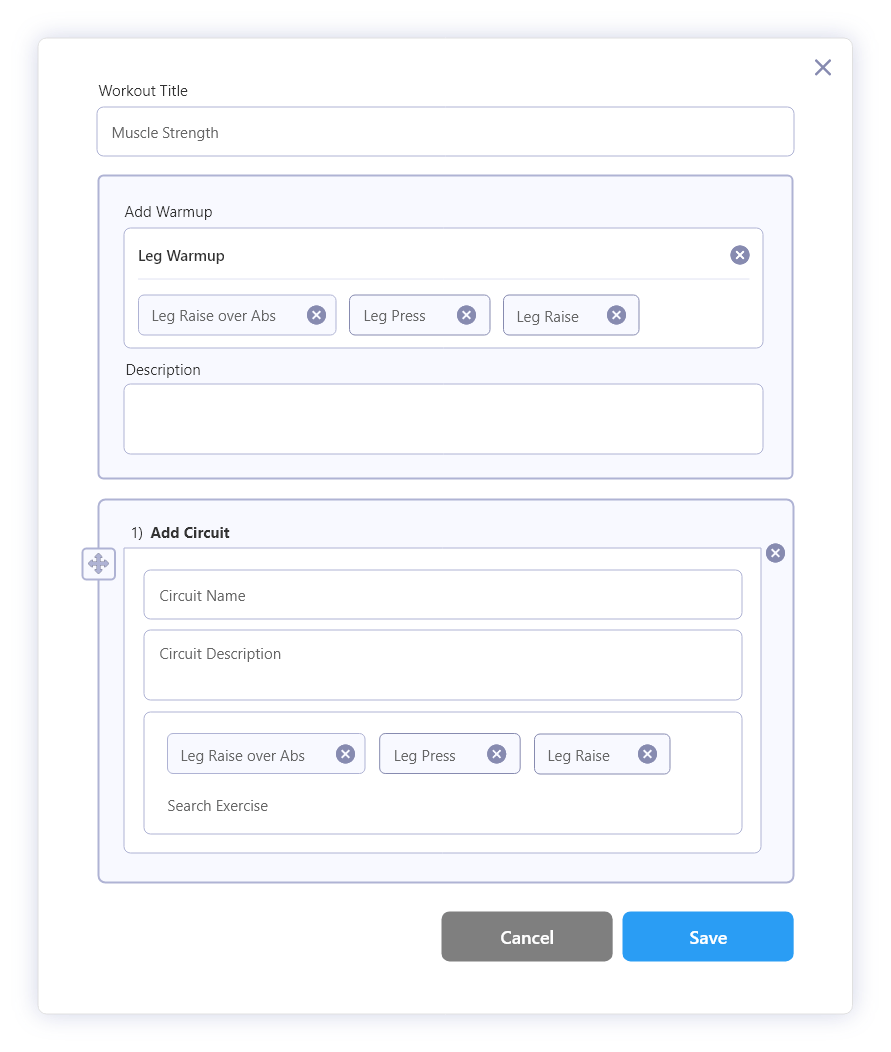
Edit program workouts without affecting the master exercise library. Personalize sets, reps, load, tempo, and coaching notes per client while keeping your templates clean and reusable.
Week Cloning
Week Cloning
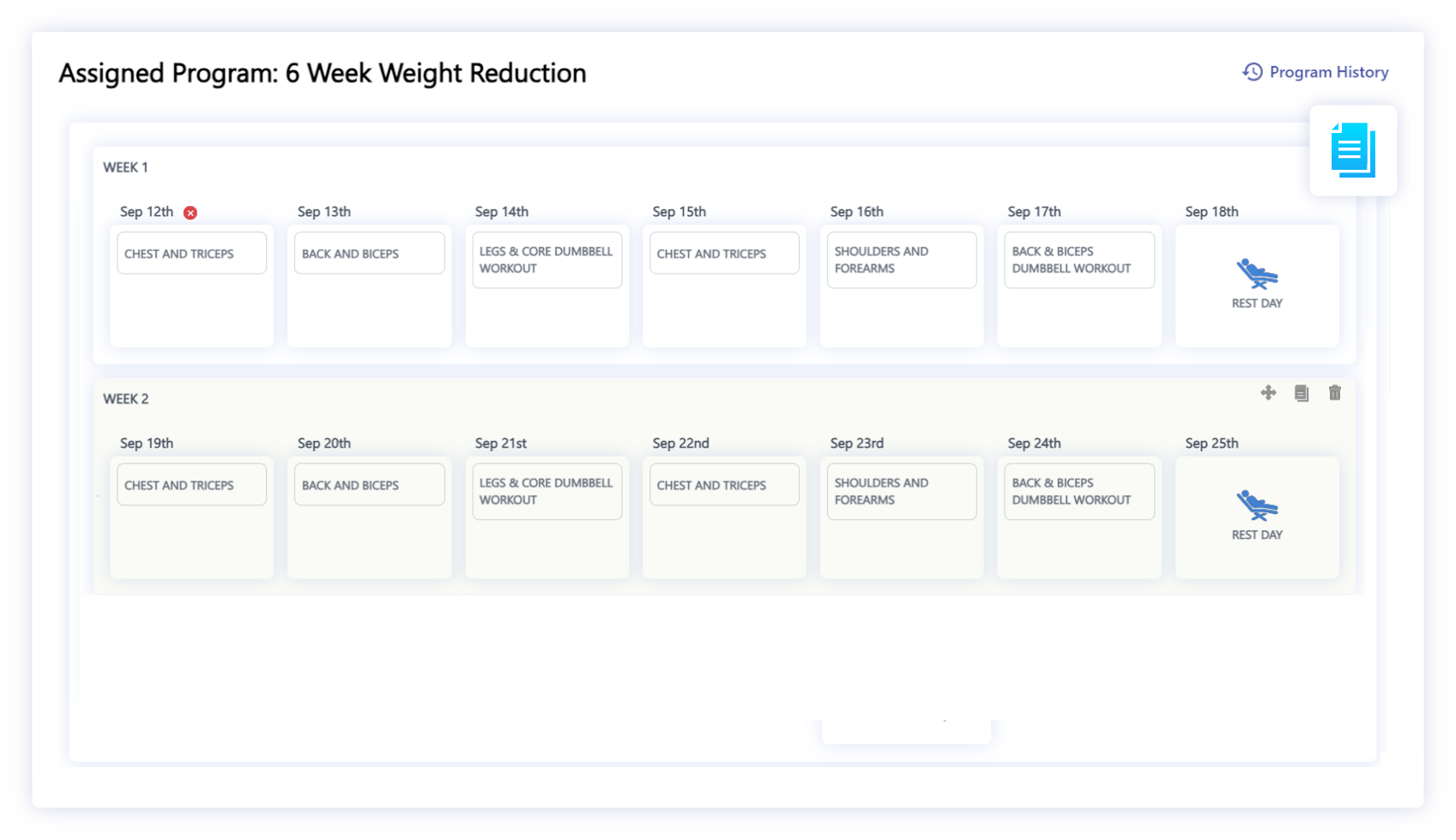
Replicate entire workout weeks with a single click. Maintain program consistency, extend a training block, or A/B test variations without starting from scratch every time.
Rest Day Setup
Rest Day Setup
Customize rest days within any program for optimal recovery. Prevent overtraining, structure deload weeks, and support long-term client progress with intentional recovery built into every plan.
Program Management FAQ
What is Program Management in BuddyPT?+
Program Management is BuddyPT's multi-week training planner. After building individual workouts in the Workout Builder, trainers use Program Management to schedule those workouts across days and weeks, creating fully periodized fitness programs that can be assigned to any client.
How do I create a program with multiple weeks?+
Open Program Management, create a new program, set the number of weeks, and you'll see a calendar grid of weeks and days. Drag saved workouts onto each day, insert rest days, and use week cloning to duplicate or extend blocks — no spreadsheets required.
Can I assign the same program to multiple clients?+
Yes. Programs work as reusable templates. You can assign the same program to many clients at once, then customize sets, reps, load, or exercises per client without changing the master template.
Can programs be personalized to each client's goals?+
Absolutely. Every assigned program is fully editable at the client level. Adjust volume for beginners, swap exercises around injuries, or add extra work for advanced clients — all while the original template stays intact.
How is Program Management different from the Workout Builder?+
The Workout Builder is where you design a single workout — the exercises, sets, and reps for one session. Program Management is where you schedule those workouts across weeks and days to build a complete, periodized training program for a client.
Does BuddyPT support rest days and deload weeks?+
Yes. Rest days can be added to any day in the program, and week cloning makes it easy to create dedicated deload weeks. This helps trainers structure recovery intentionally and prevent client overtraining.
Do clients see programs on their phone?+
Yes. Every program is delivered instantly to the client's mobile app, complete with exercise videos, timers, and logging tools. Clients always know exactly what to train on any given day.
Try Program Management in BuddyPT
Start free — no credit card required.